Employee contracts are the foundation of payroll management. This guide covers managing contracts, contract types, salary components, and salary structure in Tamam.
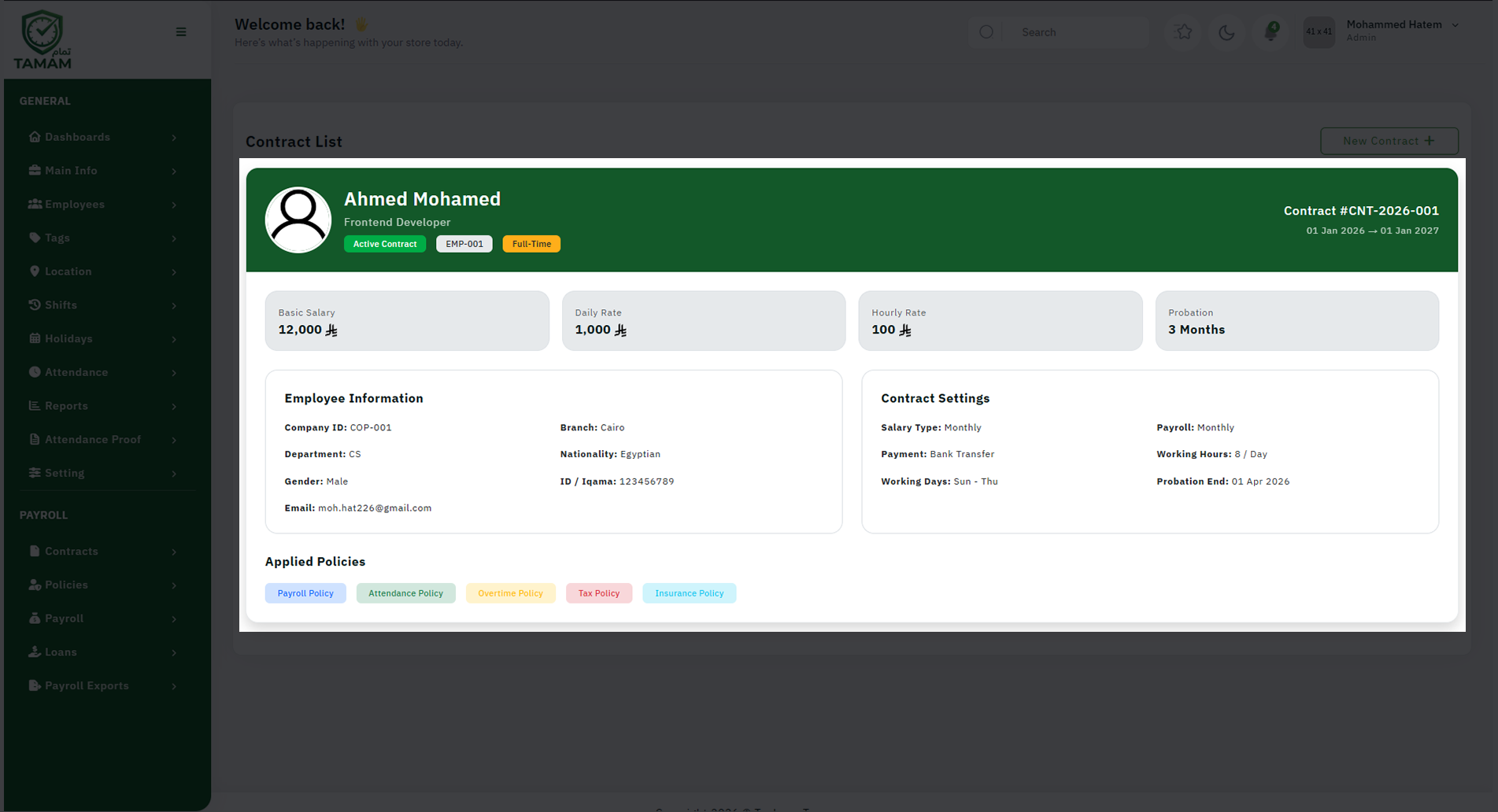
Contract Management
The Contracts section allows you to:
- View all employee contracts
- Create new contracts for new hires
- Edit existing contracts
- Track contract start and end dates
- Store contract documents and attachments
- Manage contract renewal dates
- Archive expired contracts
Contract List
The Contract List provides a centralized view of all employee contracts:
- Employee name and ID
- Contract type (permanent, temporary, fixed-term)
- Contract start date
- Contract end date (if applicable)
- Contract status (active, expired, pending)
- Renewal dates and reminders
Salary Types
Salary Types define different compensation structures:
- Fixed salary
- Variable salary
- Commission-based
- Hourly rate
- Daily rate
- Piece-rate (per unit)
Salary Components
Salary Components are individual elements that make up an employees total compensation:
- Earnings: Basic salary, allowances, bonuses, overtime pay
- Deductions: Taxes, insurance, loans, social security
- Reimbursements: Travel, meals, training expenses
- Benefits: Health insurance, retirement contributions
Setting Up Salary Components
- Go to Contracts → Salary Component
- Click \\"Add New Component\\"
- Enter component name (e.g., \\"Basic Salary\\", \\"Housing Allowance\\")
- Select component type (earning/deduction/reimbursement)
- Enter component amount or percentage
- Set calculation basis (fixed/percentage/formula)
- Configure tax treatment
- Save the component
Best Practices
- Regularly review and update salary components
- Ensure component names are clear and descriptive
- Document all deductions and their purposes
- Keep salary structures aligned with labor laws
- Review contracts before renewal dates
- Archive expired contracts for record-keeping
Related Sections
- Payroll Policies - Define company payroll rules
- Salary Types - Set up salary structures
- Salary Components - Define pay elements
Tip: Use consistent naming conventions for salary components to make reporting and analysis easier.