The App Usage Rate report tracks how frequently employees access the Tamam application, helping you measure adoption and identify training needs.
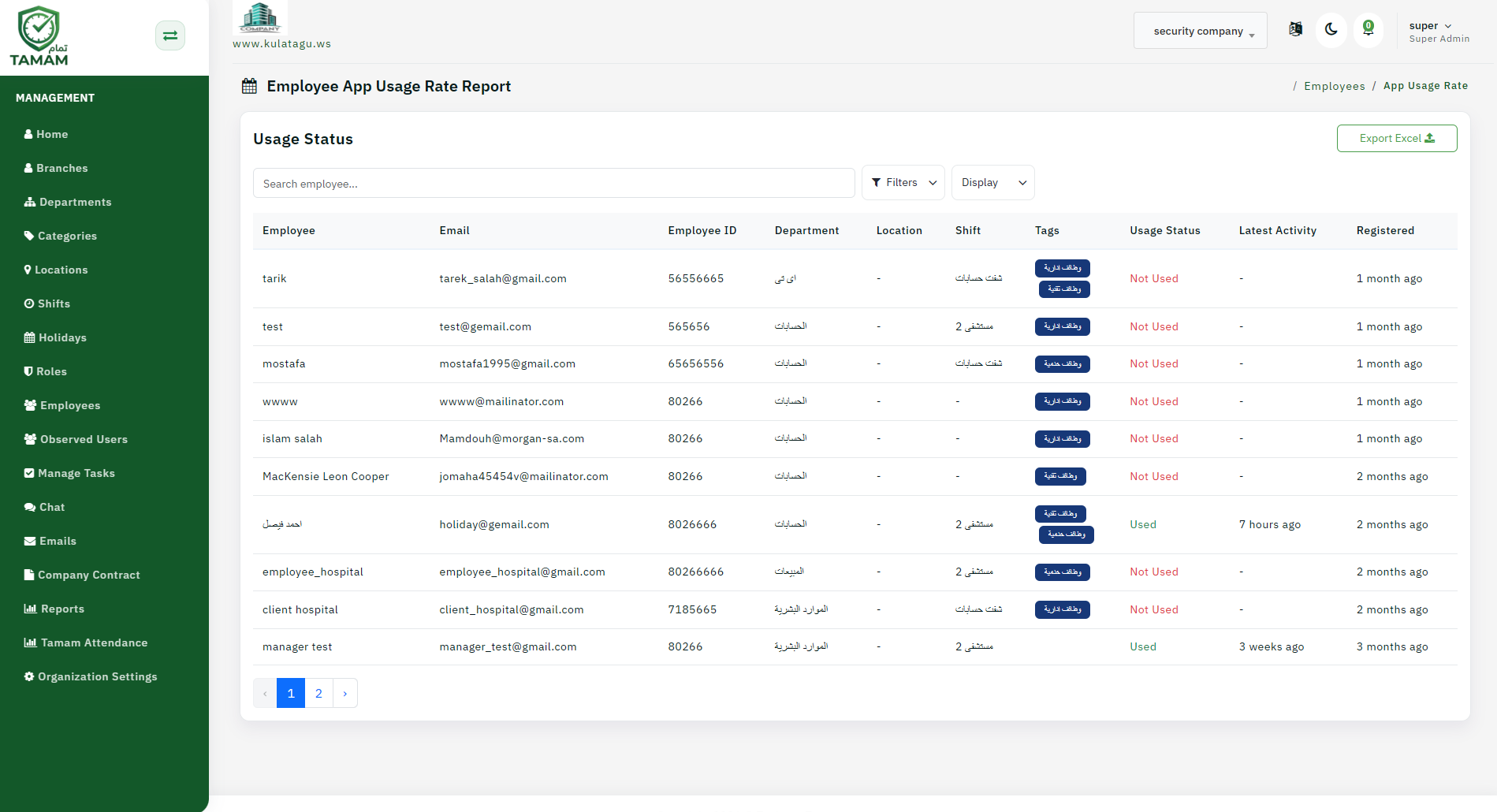
Step 1: Open App Usage Analytics
Navigate to the analytics or reporting section and select App Usage Rate to view adoption metrics.
Step 2: Choose a Time Period
Select the reporting window to analyze. Track usage trends over weeks or months to spot improvements in adoption.
Step 3: Filter by User Groups
View app usage by department, location, or user role. This helps identify groups that need additional training or support.
Step 4: Review Usage Frequency
Check how many employees are actively using the app daily, weekly, or monthly. Low usage might indicate training gaps or app usability issues.
Step 5: Plan Adoption Initiatives
Use usage insights to inform training programs, in-app tips, or support sessions. Promote features that have low awareness.
Tip: Share app usage metrics with management to demonstrate ROI and justify continued investment in the Tamam system.