Attendance registration ensures your working hours and presence are recorded accurately.
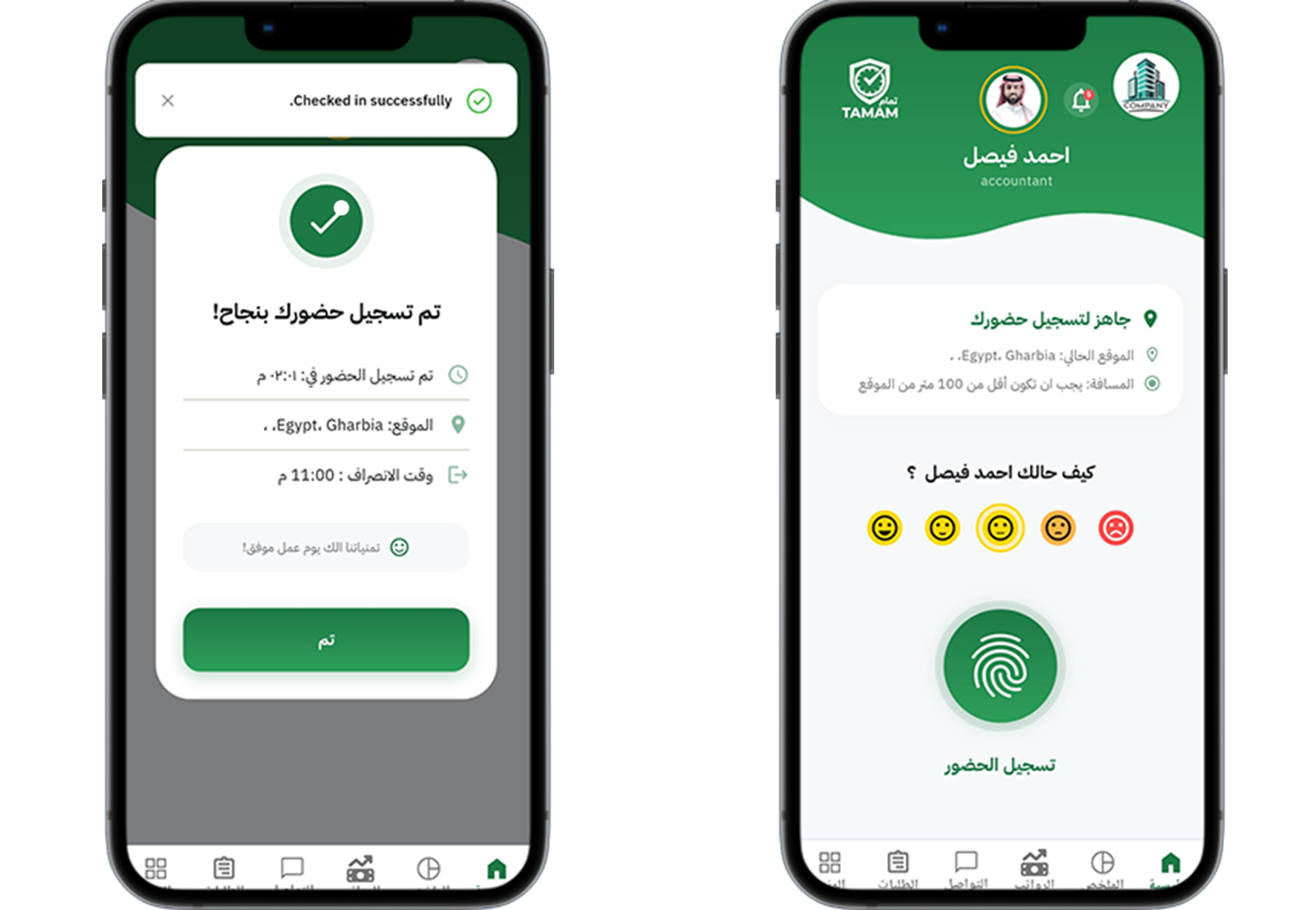
Step 1: Open the attendance screen
From the app dashboard, navigate to the Attendance or Check-In section.
Step 2: Select the correct location
Choose the location or work site where you are registering attendance.
Step 3: Clock in or register
Tap the check-in or register button to record your start time.
Step 4: Check status
Confirm that the attendance status shows as present and your time is recorded.
Step 5: Clock out when finished
Use the same screen to clock out or register the end of your shift.
Tip: Register attendance from the approved location and avoid manual edits unless approved.