The Early/Late Check In and Check Out feature helps administrators identify and manage attendance exceptions outside scheduled working hours.
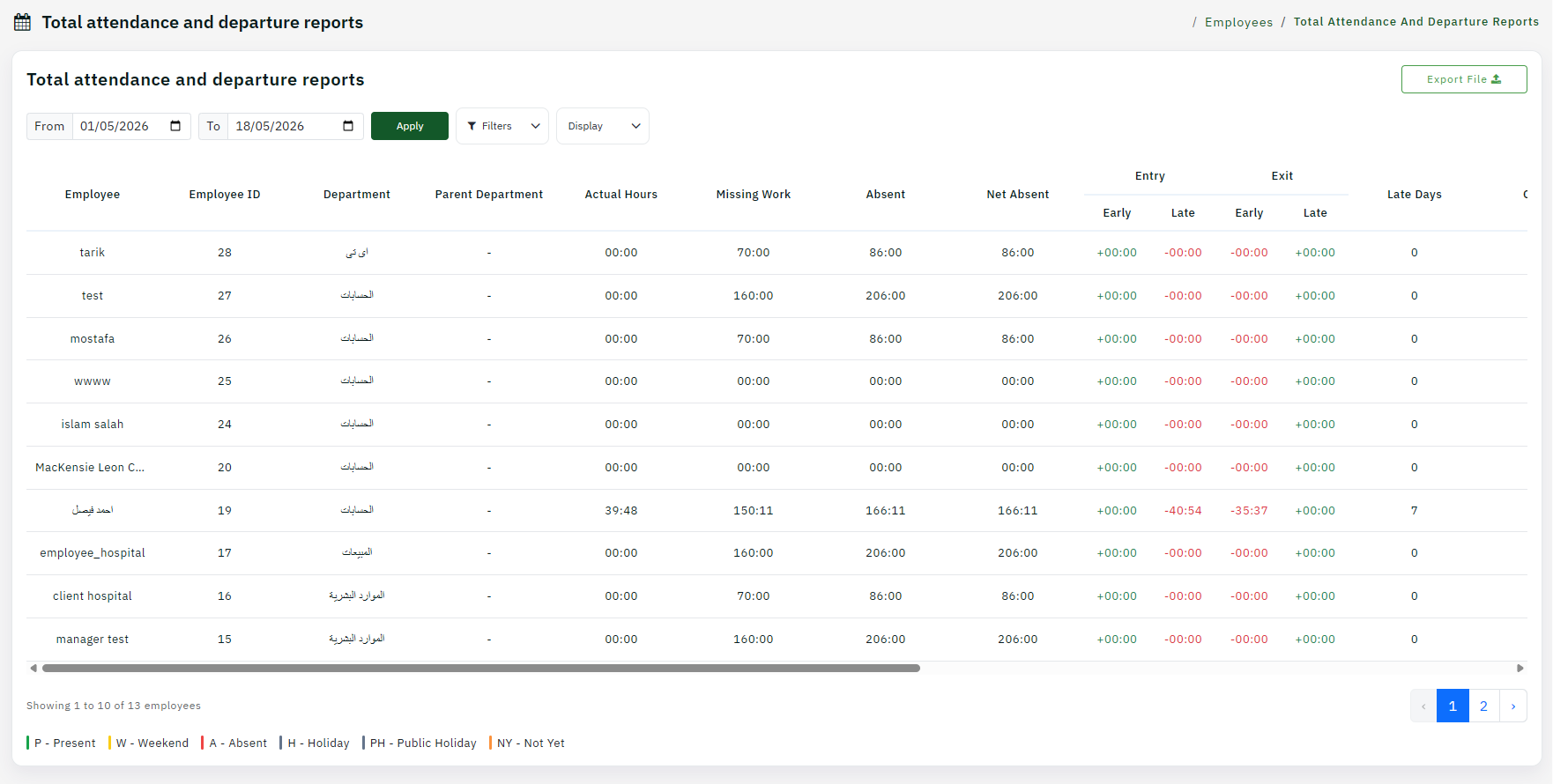
Step 1: Review Early/Late Records
Navigate to the attendance section and open the early/late check-in and check-out records. These show employees deviating from shift times.
Step 2: Analyze Early Check-Ins
Review employees who checked in earlier than scheduled. Determine if this is due to shift changes, flexibility, or system errors.
Step 3: Analyze Late Check-Ins
Check which employees are consistently arriving late. Look for patterns that suggest productivity or behavioral issues needing attention.
Step 4: Review Early/Late Check-Outs
Examine check-out times as well. Early departures might indicate approved leave or violations of policy.
Step 5: Take Corrective Action
Contact managers about significant exceptions and work with HR to address chronic patterns. Use the data to inform attendance policies.
Tip: Set grace periods and thresholds in your attendance policies to distinguish between acceptable timing variations and actual violations.