Use the status view to see live attendance and spot absent employees quickly.
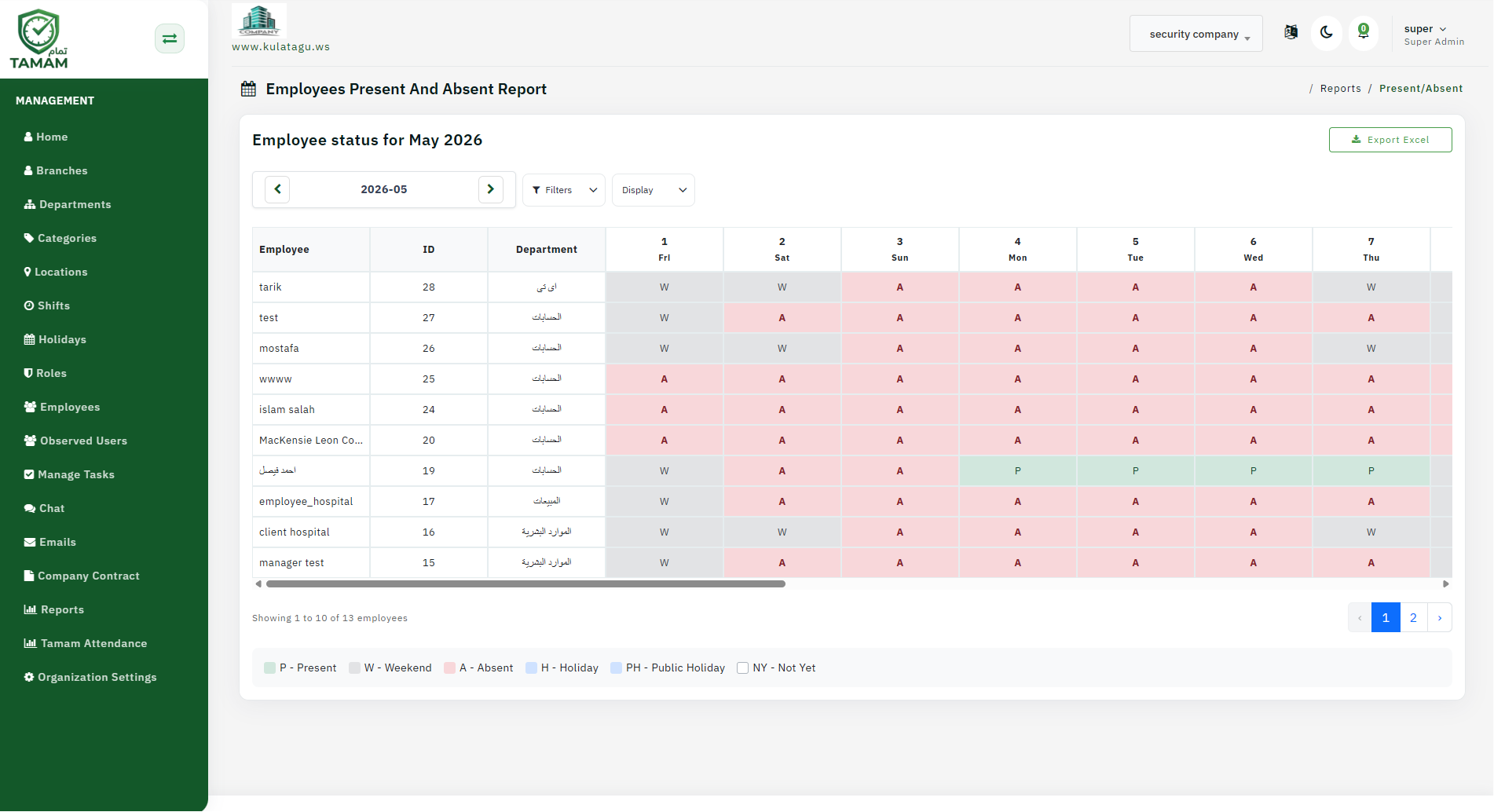
Step 1: Access attendance status
From the dashboard, open the attendance overview and choose the present/absent status report.
Step 2: Apply filters
Select date, location, department, or team filters to focus the status view.
Step 3: Review present employees
Check the list of employees marked present and confirm their check-in times.
Step 4: Review absent employees
Look at the absent list, including any attendance notes or reasons provided.
Step 5: Export or share status
Export the present/absent summary for staffing support or share it with managers.
Tip: Use the present/absent report at the start of each shift to verify coverage and follow up on missing employees.