This guide covers how to enhance filtering for reports and add employee-based filters to improve data precision. Better filters reduce noise and help decision-makers focus on the right records.
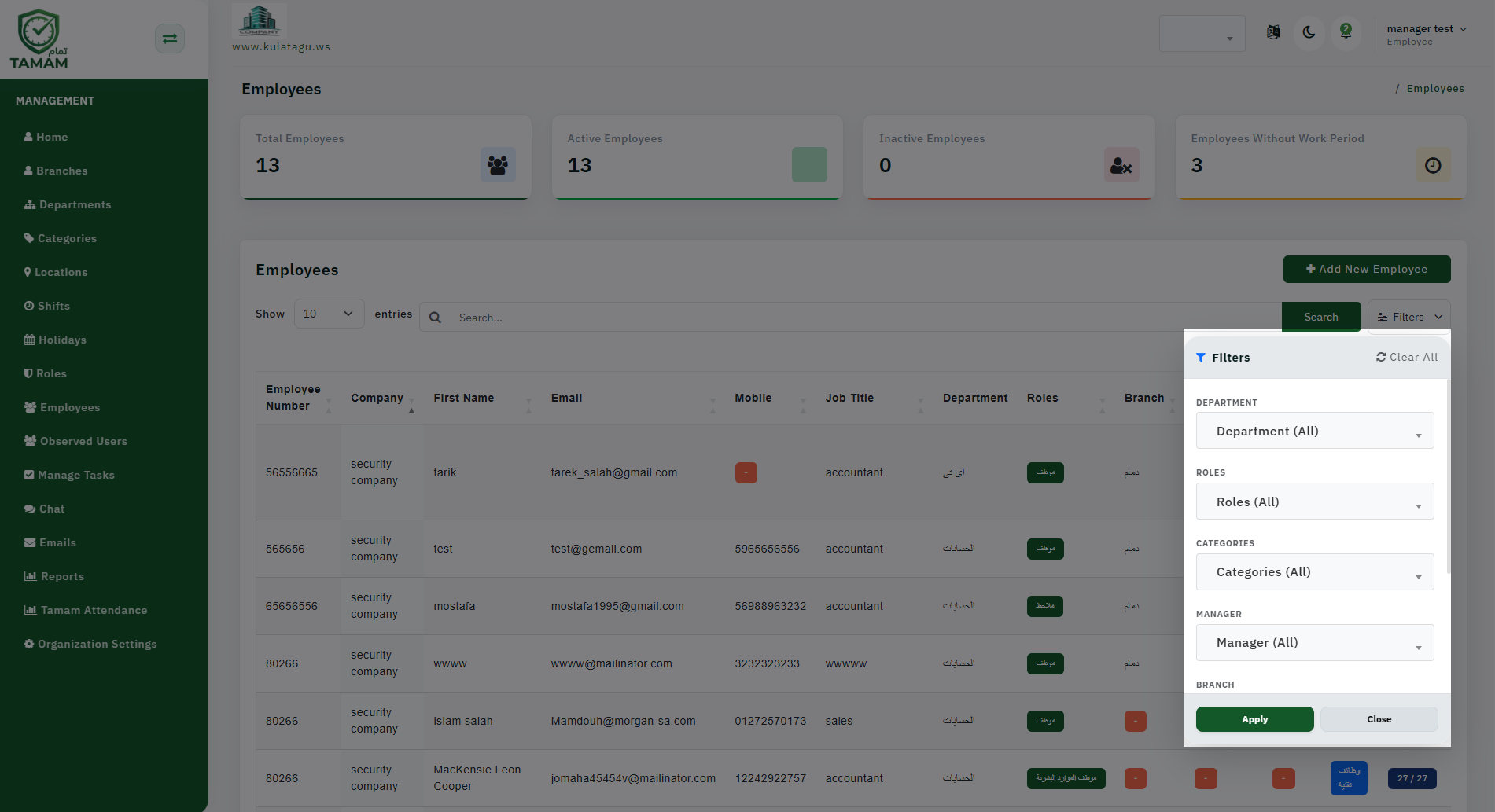
Step 1: Open the Report Filter Panel
Access the filter area for the report you want to improve. Most reports have a filter section at the top of the page.
Step 2: Add Employee Filters
Include filters such as individual employee, employee group, line manager, and employee tags. This enables targeted analysis for specific users.
Step 3: Include Department and Location Filters
Complement employee filters with department and location criteria. This helps isolate data to the right organizational segment.
Step 4: Save Filter Presets
If the system allows it, save common filter combinations as presets. This saves time for admins who review the same type of data regularly.
Step 5: Validate Filter Results
Review the report after applying filters. Confirm the output matches expectations and adjust the filter logic if results appear too broad or too narrow.
Tip: Use employee filters together with status or date filters to create powerful, precise report views.