The HR Live Dashboard Statistics page gives administrators a complete overview of workforce activity, attendance trends, and employee engagement metrics.
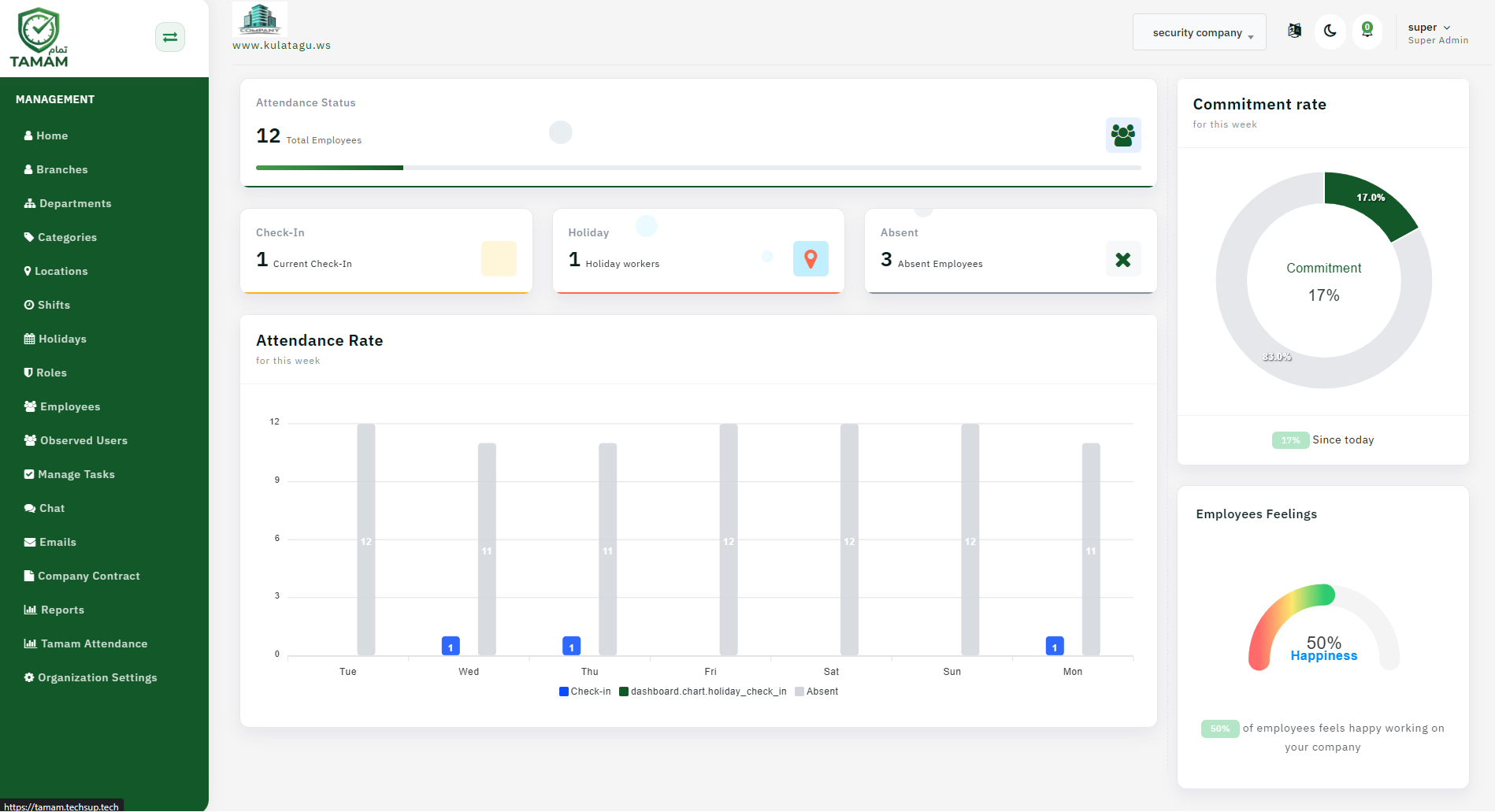
Step 1: Access the Dashboard
Open the HR dashboard from the admin sidebar menu to view live company statistics and workforce analytics.
Step 2: Review Attendance Status
The Attendance Status section displays the total number of employees currently tracked in the system along with overall attendance progress indicators.
Step 3: Monitor Daily Employee Activity
The dashboard cards provide quick summaries of:
- Check-In: Displays employees currently checked in.
- Holiday: Shows workers currently on holiday.
- Absent: Displays employees marked absent.
Step 4: Analyze Attendance Rate
The Attendance Rate chart visualizes employee attendance activity throughout the week. Administrators can compare:
- Employee check-ins
- Holiday attendance records
- Absent employees
This chart helps identify attendance patterns and workforce behavior across multiple days.
Step 5: Track Commitment Rate
The Commitment Rate panel displays the overall employee commitment percentage for the current week using a circular progress chart.
This metric helps management evaluate workforce consistency and operational discipline.
Step 6: Review Employee Feelings
The Employee Feelings section measures employee satisfaction and happiness levels inside the company using a visual gauge indicator.
HR teams can use this information to improve workplace culture and employee engagement.