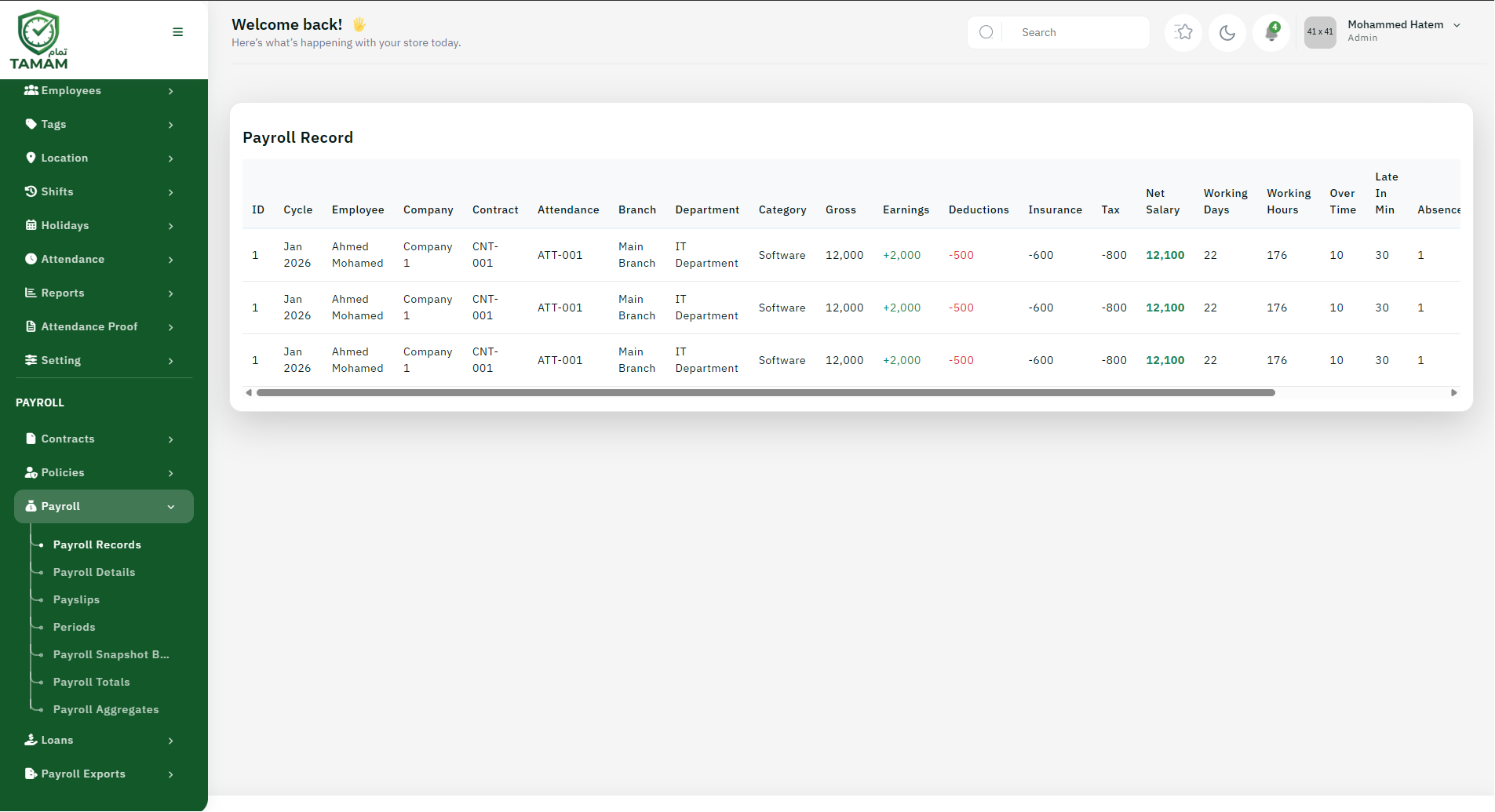
Payroll Records contain the detailed payroll information for each employee for each payroll period, including earnings, deductions, and net pay calculations.
What Are Payroll Records?
Payroll Records are comprehensive documents that capture:
- Employee identification and details
- Payroll period information
- All earnings components
- All deductions and their amounts
- Gross salary calculation
- Net pay after deductions
- Tax information
- Payment method and date
Viewing Payroll Records
- Go to Payroll → Payroll Records
- Select the payroll period
- View list of all employees and their records
- Click on an employee to view detailed record
- Review all earnings, deductions, and calculations
Payroll Record Components
- Earnings: Basic salary, allowances, bonuses, overtime
- Deductions: Taxes, insurance, loans, statutory deductions
- Reimbursements: Travel, meals, training expenses
- Net Pay: Total earnings minus deductions
Modifying Payroll Records
You can make adjustments to payroll records before they are finalized:
- Select the payroll period and employee
- Click "Edit Record"
- Modify salary components or deductions
- Add manual adjustments if needed
- Review recalculated totals
- Save changes
Payroll Record Status
- Draft: Pending review and finalization
- Approved: Reviewed and approved by authorized user
- Processed: Ready for payment processing
- Paid: Payment has been made
- Archived: Historical record
Common Adjustments
- Overtime hours and rates
- Bonus or incentive additions
- Loan or advance deductions
- Travel or meal reimbursements
- Manual tax adjustments
- Attendance corrections
- Review payroll records before finalizing
- Verify all deductions are accurate
- Cross-check with attendance records
- Maintain audit trail of all changes
- Ensure compliance with tax requirements
- Archive records for legal compliance
- Export to Excel or CSV format
- Generate PDF reports for employees
- Export for bank transfer processing
- Export for tax filing
Best Practices
Exporting Records
Tip: Always review payroll records at least one day before the scheduled payment date to allow time for corrections.